
For front-desk staff
If your studio owner has given you a SARA login, your job in it is usually one thing: calling the families who said they were unhappy, and recording that you did.
Signing in
Go to heysara.net/console and sign in with the email and password your owner set up for you. Staff logins do not need two-factor authentication; the owner’s does, because the owner can read everything.
You can change your own password from your profile (your initials, top right) as long as you know the current one. Three or four wrong passwords in a row lock the address out for about a minute; wait, then try again. There is no “forgot password” link yet: if you are locked out for good, ask your studio owner to have SARA reset it.
The worklist
SARA opens on the worklist: every family who answered 0 to 6 on the studio’s survey, newest first. Each row shows the family’s name, their score, the date they answered, and where they are in follow-up.
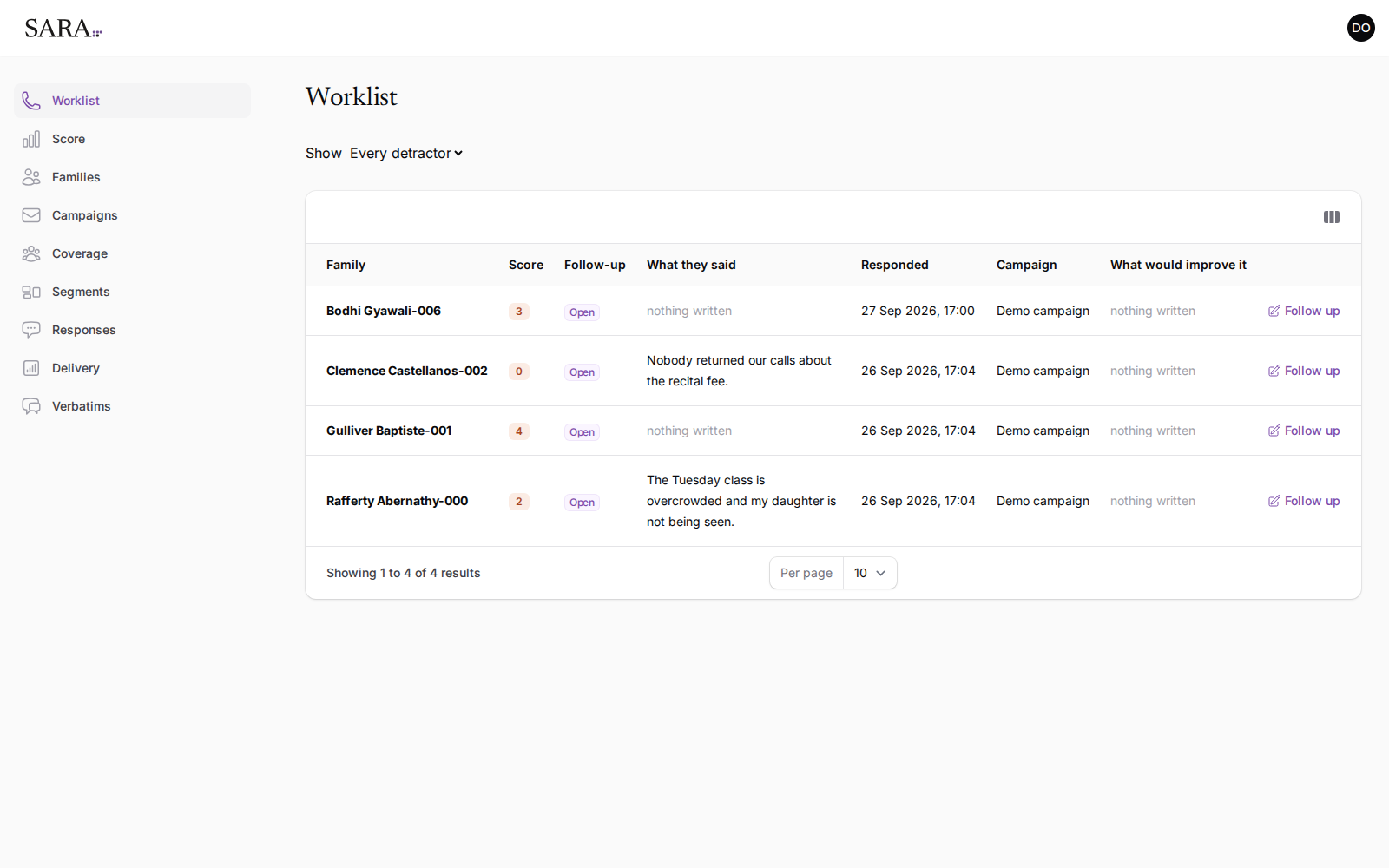
Use Show to switch between every family on the list and only the ones nobody has followed up yet.
Recording a follow-up
When you have contacted a family, choose Follow up on their row and set where things stand:
- Contacted: you have spoken to them or left a message.
- Resolved: the conversation is finished.
- Dismissed: no follow-up is needed.
SARA records who made each change and when, so the owner can see the list being worked without asking.
Why some comments say “restricted”
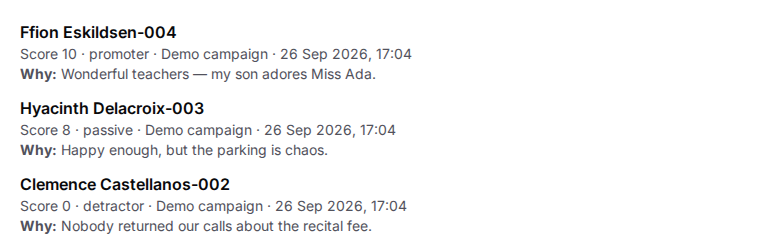
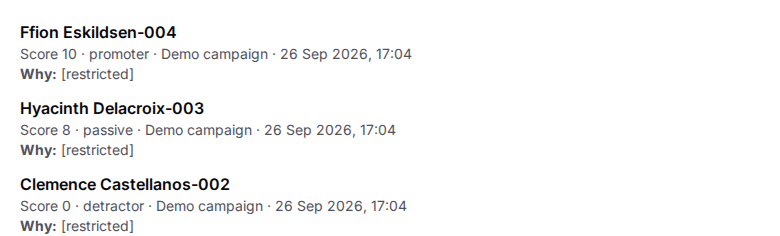
Families can write a reason for their score. With a staff login, those comments show as [restricted]. That is a choice the owner makes about who reads what families wrote; it does not mean the family wrote nothing. If you need the context before a call, ask the owner.
What a staff login can and cannot do
| You can | You cannot |
|---|---|
| See the worklist, scores and families; record follow-ups. | Read what families wrote, download responses, delete a response, or change anyone’s access. |