

The owner’s guide
Everything a studio owner does in SARA, from the first sign-in to the weekly call list. The screenshots show a demonstration studio with invented families.
The shape of it
How a round works
A round is one campaign. You run it when it suits your calendar — after a recital, at the mid-season point, before re-enrollment opens.
- Your families come in from your studio software Names, contact details and enrollments, so you are asking the people who are actually on your roll.
- SARA emails each family one question From your studio's own address, with the eleven-point scale in the body of the message.
- Parents answer in a tap The number is recorded when the page opens. The two written questions are optional and can be skipped.
- You work the list Every family who scored 0–6 lands on your worklist with what they wrote, and you mark each one done as you go.
Getting in
Your first sign-in
Your console is at heysara.net/console. Sign in with the email you were given and
the password you set.
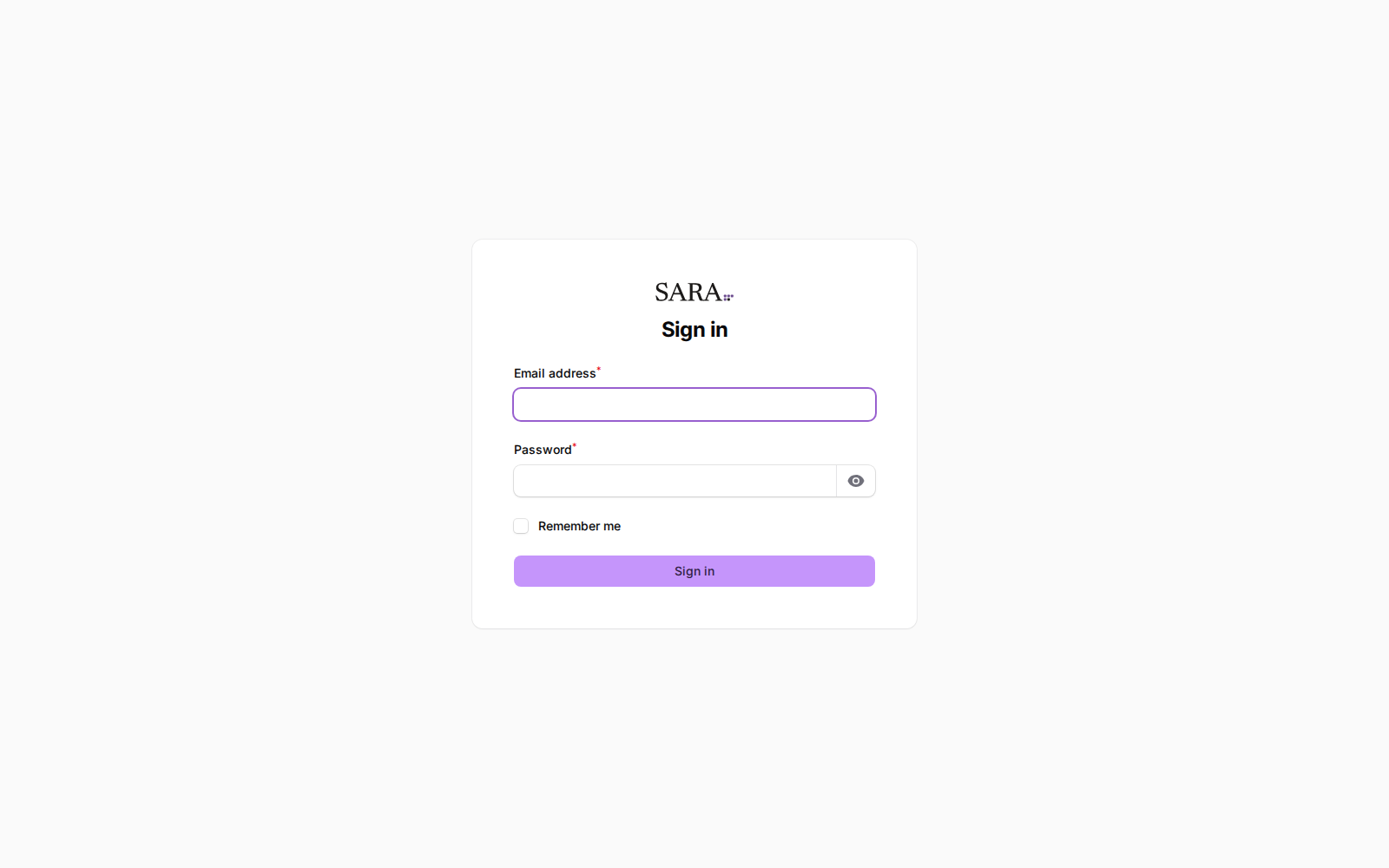
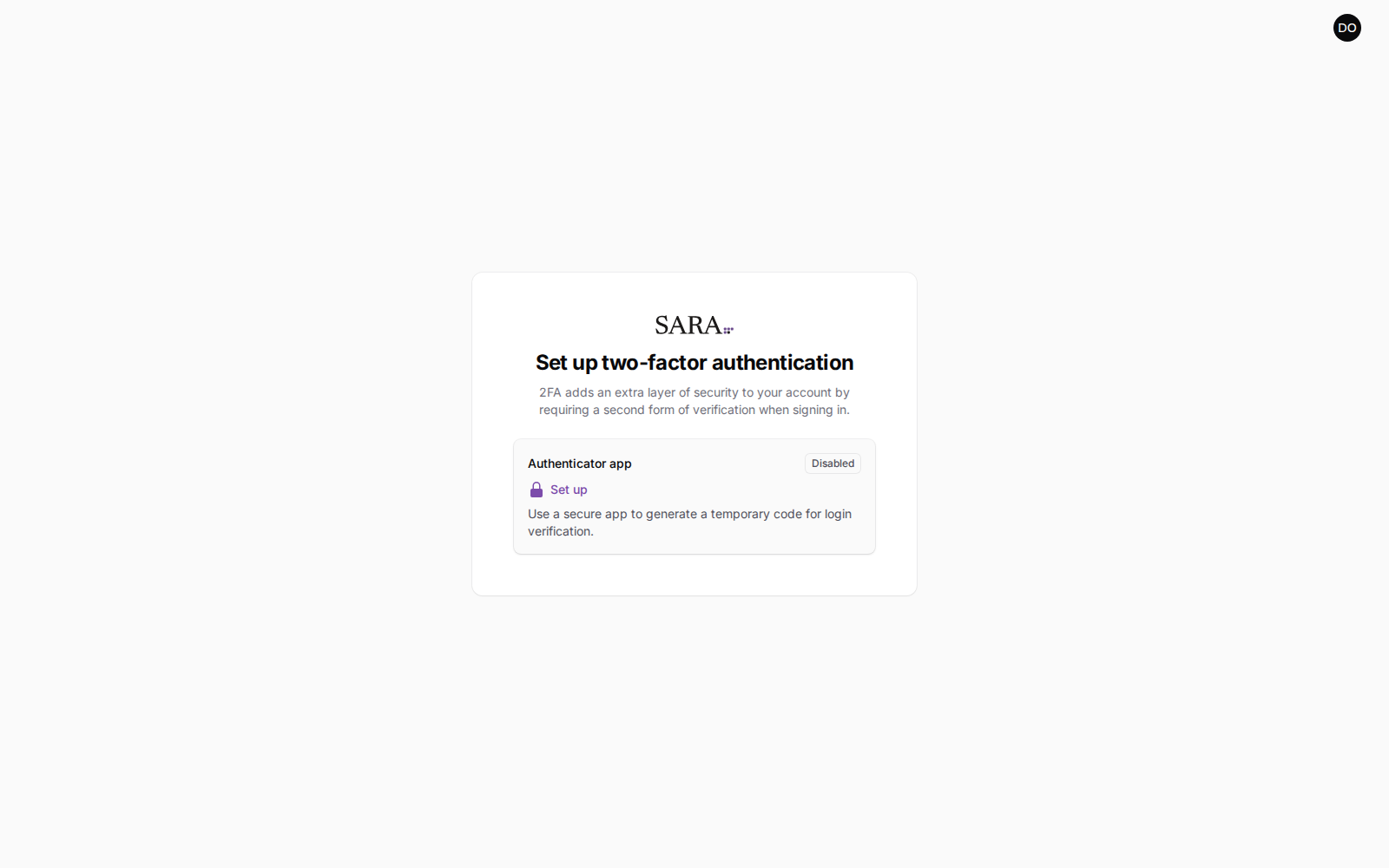
Then you will be asked to set up two-factor authentication
This is not optional for an owner, and it happens before you see anything else. You own the account that can read what every family wrote about your studio, so the account is protected the way that deserves.
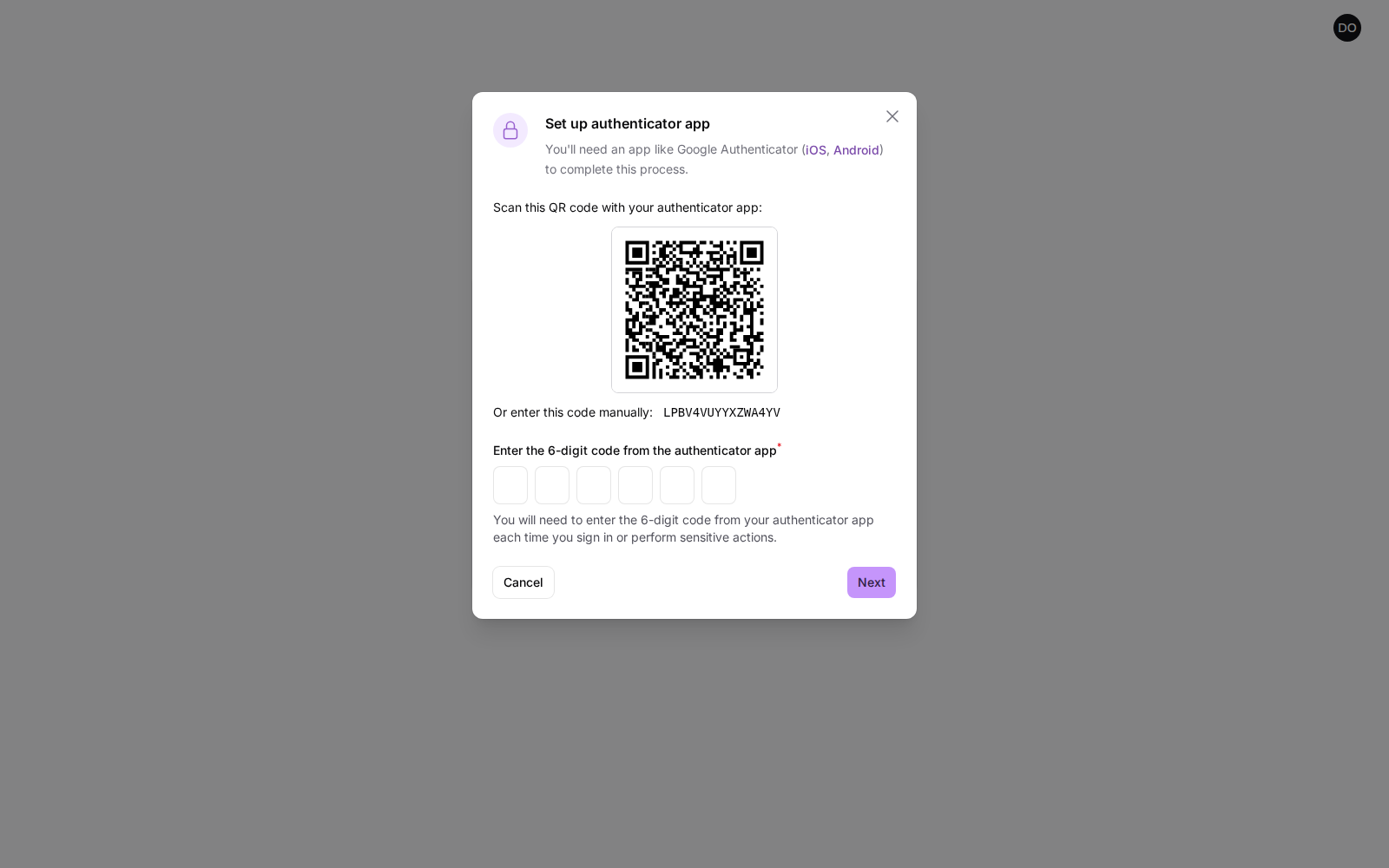
You will need an authenticator app on your phone — Google Authenticator, 1Password, Authy and Apple's built-in passwords app all work. Scan the square code with it, or type the short code underneath if scanning is awkward.
Save the recovery codes. They are shown once and never again. If you lose your phone, they are the only way back into your own studio's data — there is no password-reset link that can rescue you, by design.
Put them somewhere you would keep a spare key: a password manager, or printed and filed. Each one works once.
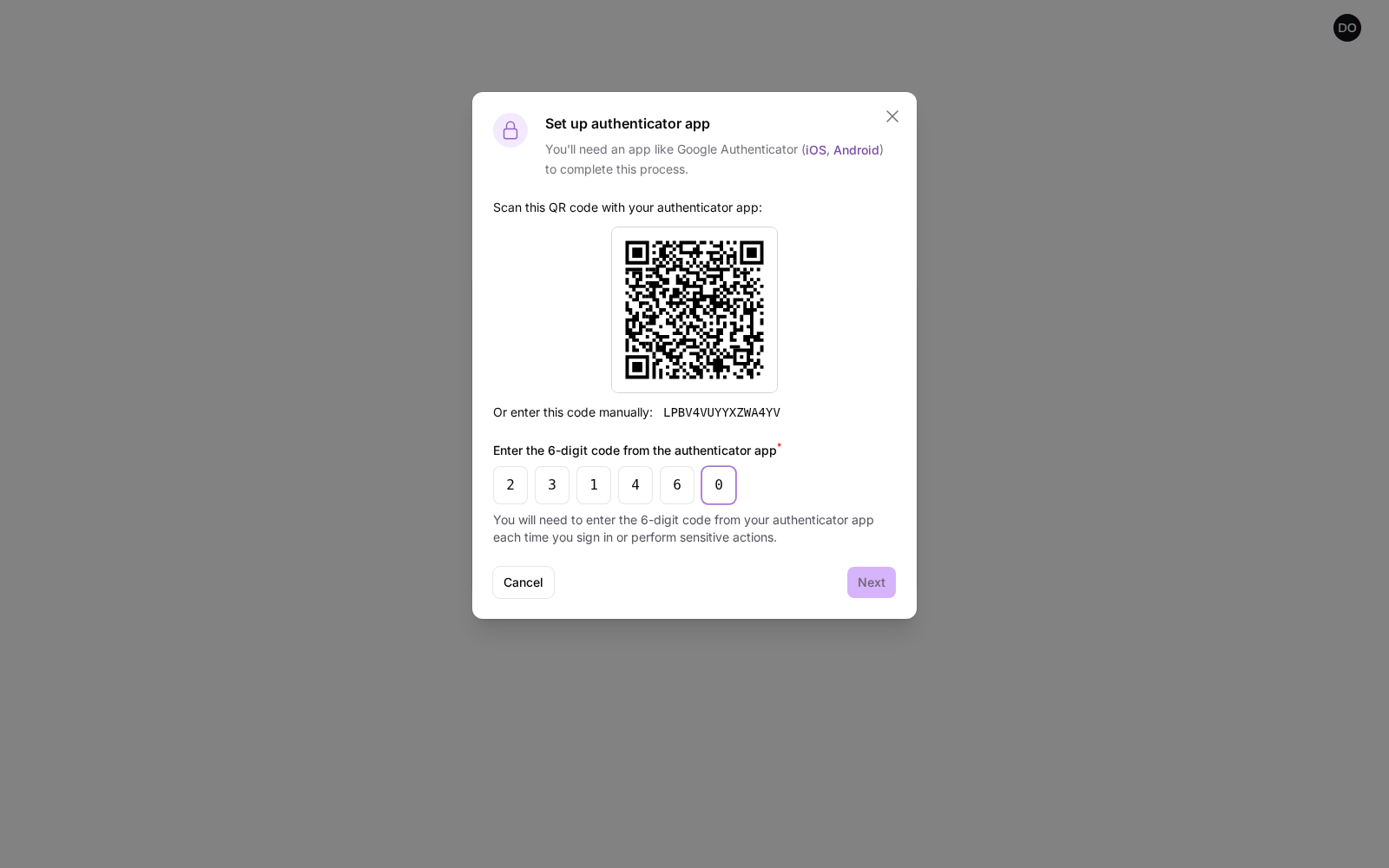
From then on, signing in asks for your password and a fresh six-digit code. Three or four wrong passwords in a row will lock the address out for about a minute; wait and try again.
Worklist
The page you will actually use
The worklist is where SARA opens, and on most weeks it is the only page you need. It lists the families who gave you a low score, newest first, with what they wrote sitting in the row rather than behind a click.
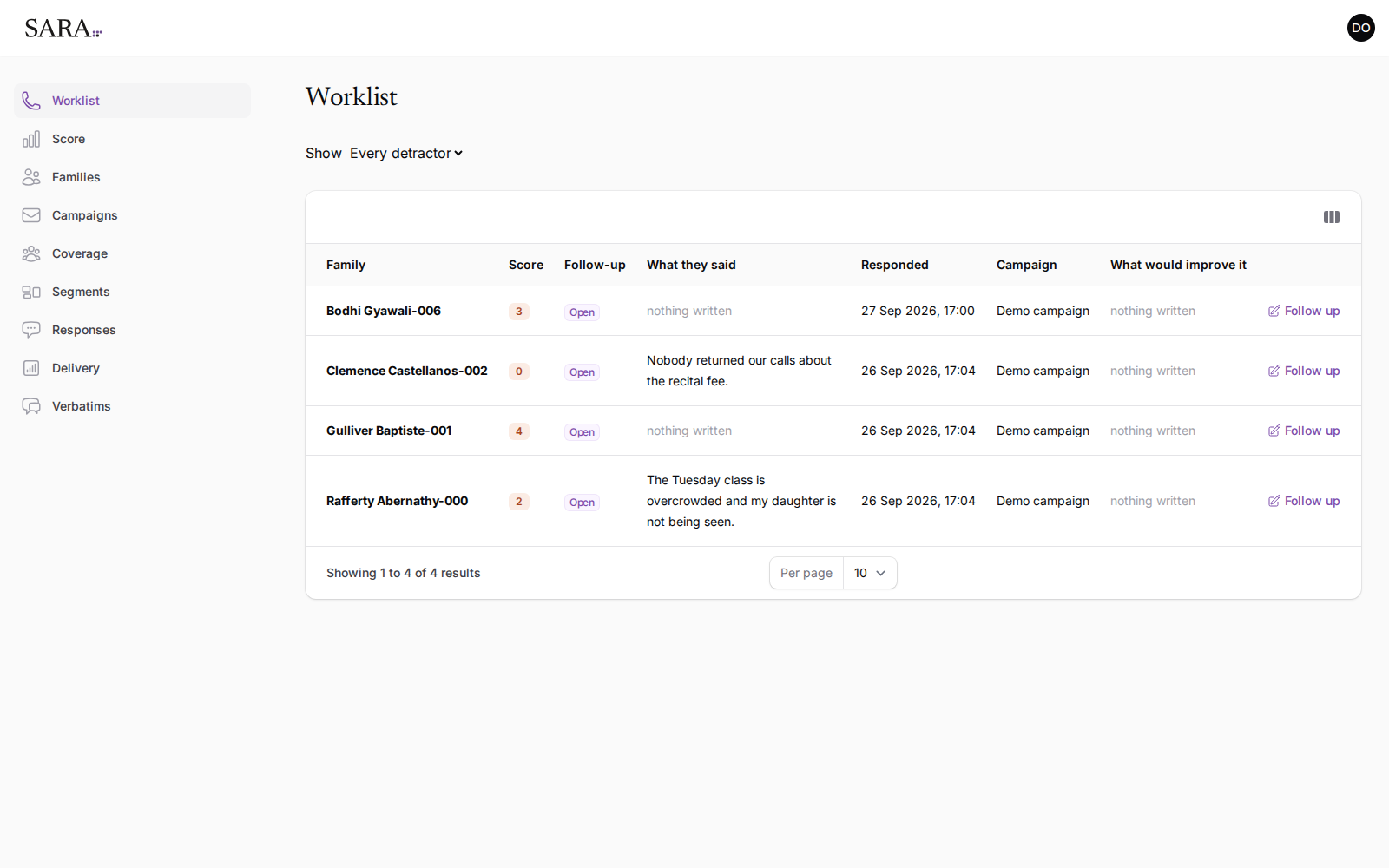
- Show switches between every detractor and the ones still open.
- Follow-up is the state you control: open, until you mark it otherwise.
- Follow up on the right records that you spoke to them, with the date and your name against it.
- The column button at the top right adds context columns — how long the family has been with you, how many dancers, which programs — when you want them, and keeps them out of the way when you don't.
Nothing here is a suggestion. SARA does not rank families by risk or predict who will leave. It shows you who said they were unhappy and what they said.
Score
Your score, and why it may say “not yet”
The score summarizes how your families answered. It will be blank for a while after your first campaign, and that is the product working rather than failing.
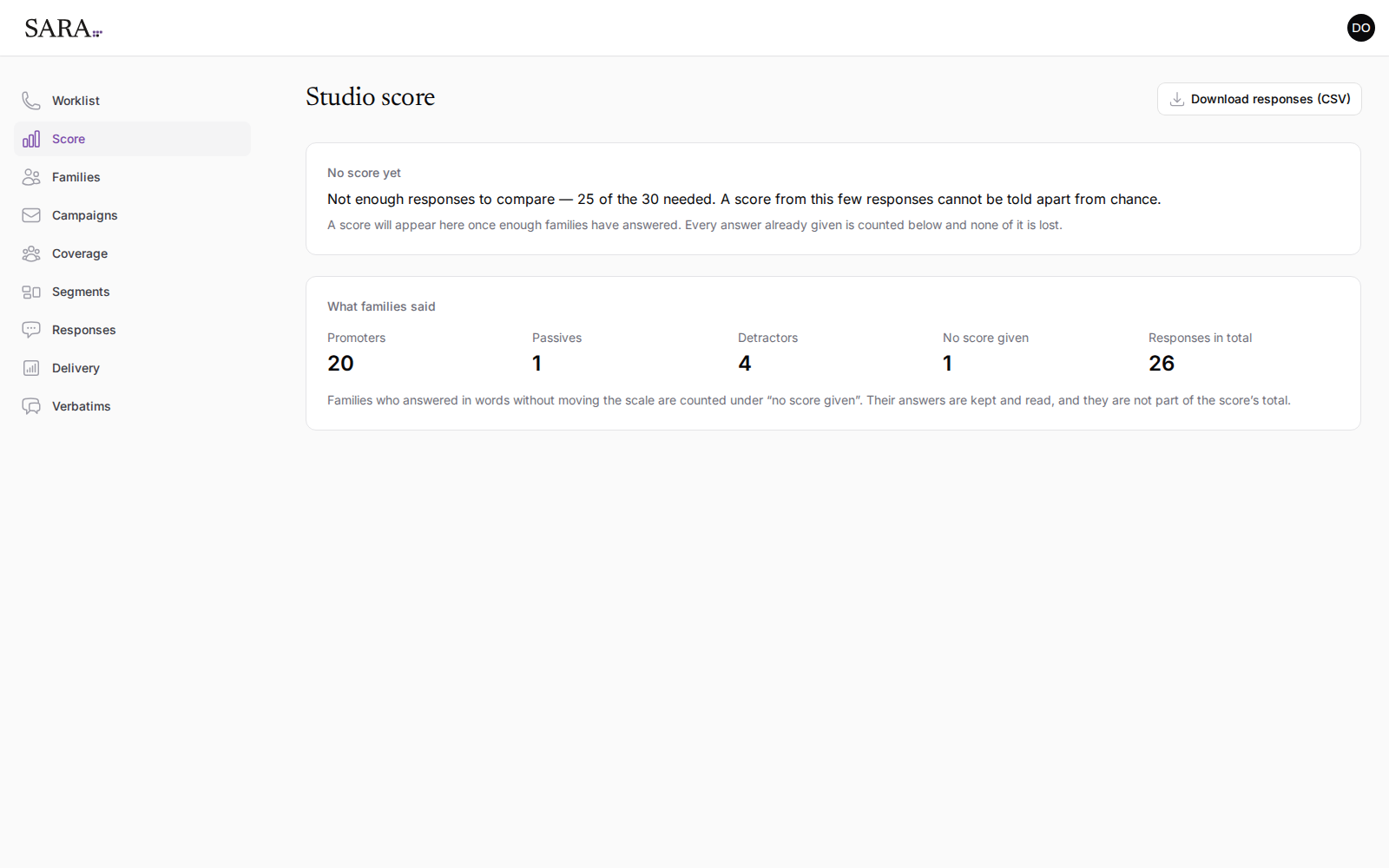
A score needs about 30 answers before it means anything. Below that it moves more on who happened to reply than on anything you did, and two rounds could differ by ten points with nothing having changed at your studio.
SARA would rather show you nothing than a number you might act on. Every answer already given is counted and kept — nothing is discarded while you wait.
Once the score appears it comes with its margin of error and the number of responses behind it, every time. Download responses (CSV) at the top right gives you the raw answers if you want to work with them yourself.
“No score given” counts families who wrote something without moving the scale. Their words are kept and read — you will find them on the verbatims page — and they are simply not part of a number.
Coverage
Who you can actually reach
Before a campaign is worth running, it is worth knowing how much of your studio it can reach. This page answers that from your families as they stand today.
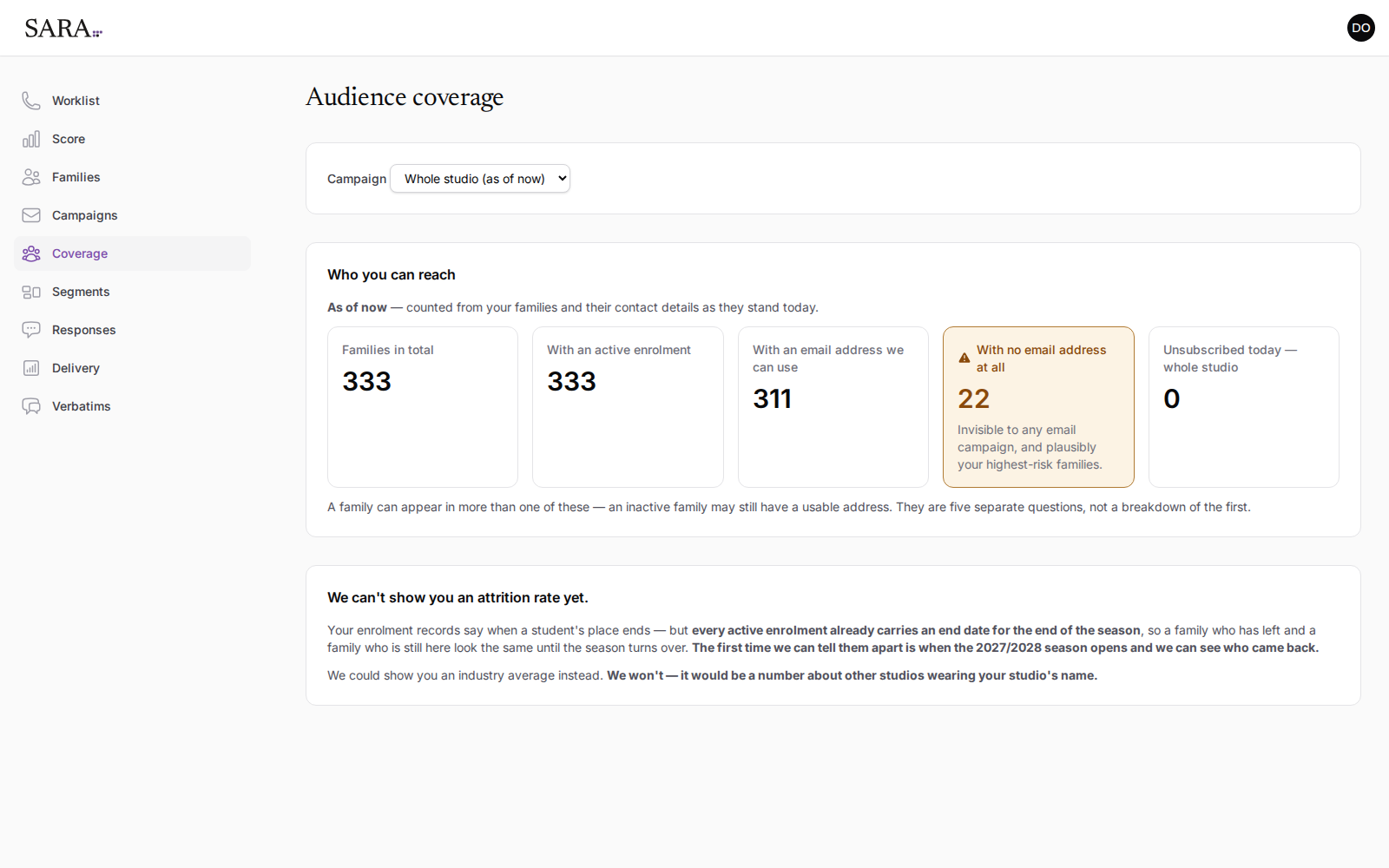
The amber box is the one to act on. A family with no address on file cannot be surveyed, cannot be reminded, and will never appear in anything below — and a family whose contact details have gone stale is plausibly a family already halfway out the door. Fixing those records in your studio software is usually the highest-value hour in the whole setup.
The five boxes are five separate questions, not a breakdown of the first. A family can be counted in more than one.
Segments
Comparing groups of families
Segments splits your answers three ways: how long a family has been with you, whether they are in the competitive stream, and how many dancers they have enrolled.
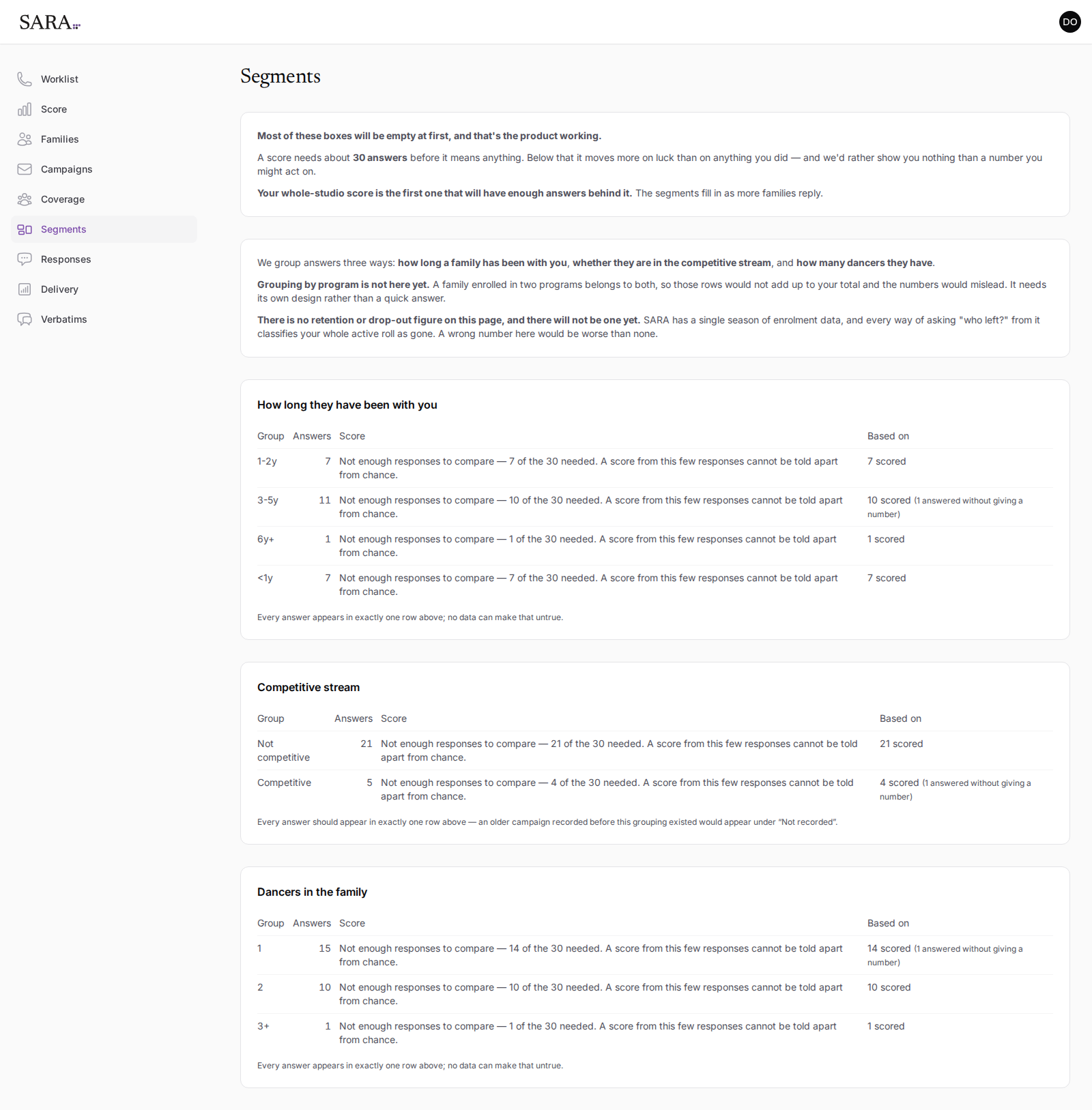
The same 30-answer rule applies to each row independently, so your whole-studio score will appear well before any individual segment does. A segment that never reaches 30 is telling you something real about its size.
Verbatims
What families wrote
Every written answer, in full, with the score beside it. This is the page worth reading end to end after a campaign closes — a score tells you the temperature, and these tell you why.
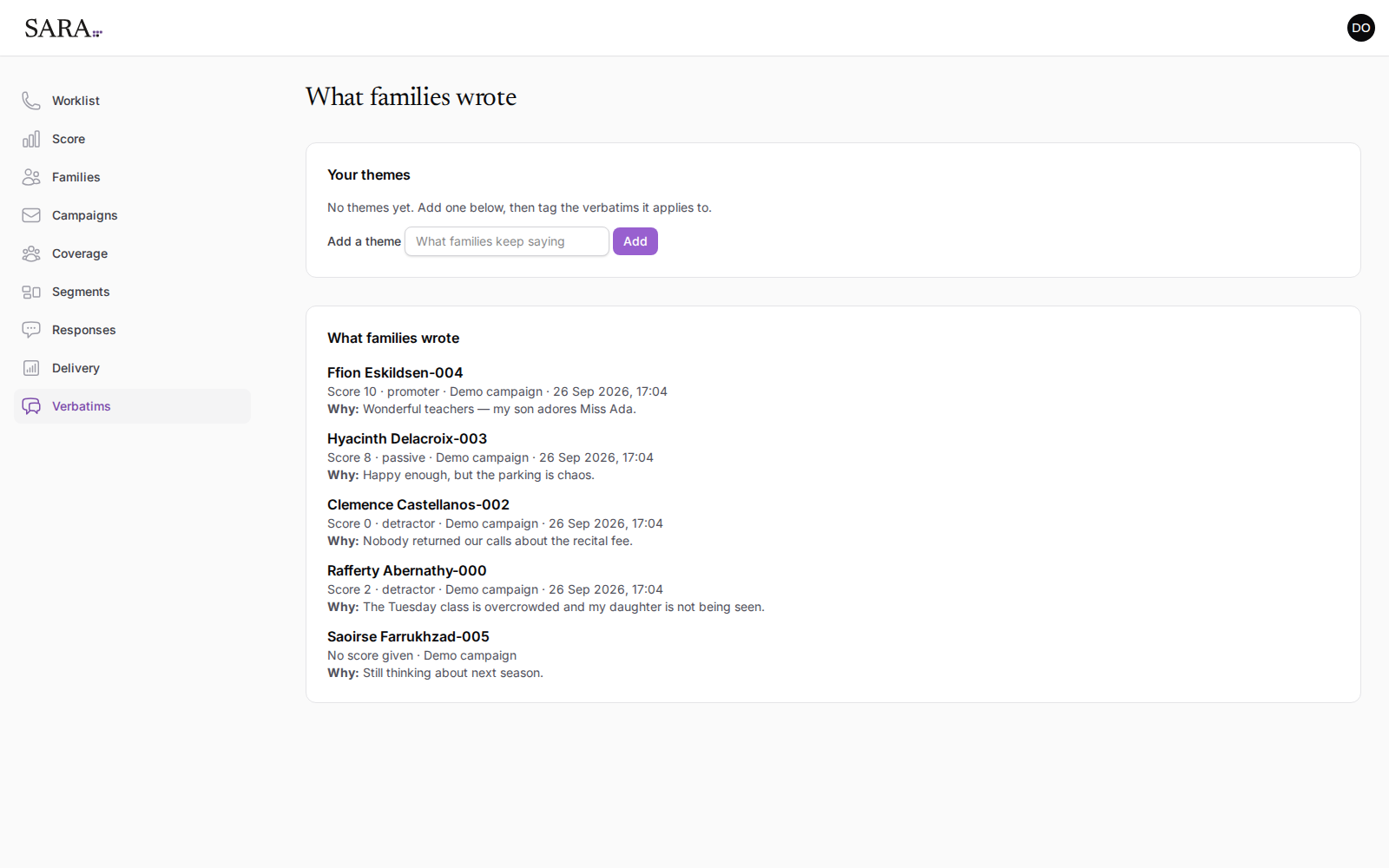
Themes let you tag recurring comments with your own label — parking, class size, communication — so that the third time something comes up you can see it is the third time. You invent the themes; SARA does not guess at them.
Roles
Who sees what
You will want front-desk staff to be able to work the follow-up list. You may not want them reading every family's opinion of your studio. Those are separate permissions.
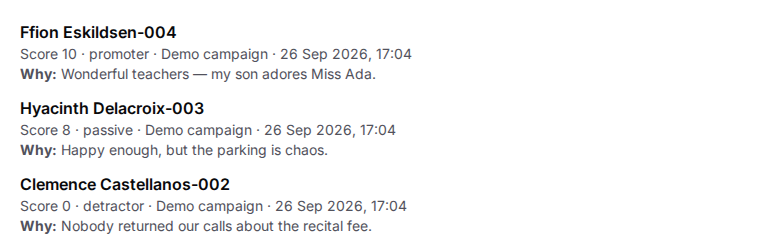
![The same three rows as a staff user sees them, identical except that each reason reads "[restricted]".](/images/guide/16-verbatims-staff-rows.png)
| Role | Can do | Cannot |
|---|---|---|
| Owner | Everything an admin can, plus delete a single response. Signs in with two-factor authentication. | — |
| Admin | Read what families wrote, download responses, and work the worklist. | Delete a response. |
| Staff | See scores, work the worklist and record follow-ups. | Read what families wrote (it shows as [restricted]), download responses, or delete a response. |
Logins and roles are set up by SARA. Ask for a new login, or a change to someone’s role, and it is done for you. Each person can change their own name and password from their profile; nobody can change their own sign-in email.
Written answers are encrypted where they are stored, so they are unreadable even to someone holding a copy of the database. Every download of responses, and every time someone reads what families wrote, is recorded with who and when.
A studio only ever sees its own families. There is no shared view, no benchmark against other studios, and no way to reach another studio's data from inside yours.
Delivery
Checking a campaign went out
Delivery accounts for every family a campaign was meant to reach: how many were eligible, how many were handed to the mail provider, how many were held back, and what came back.
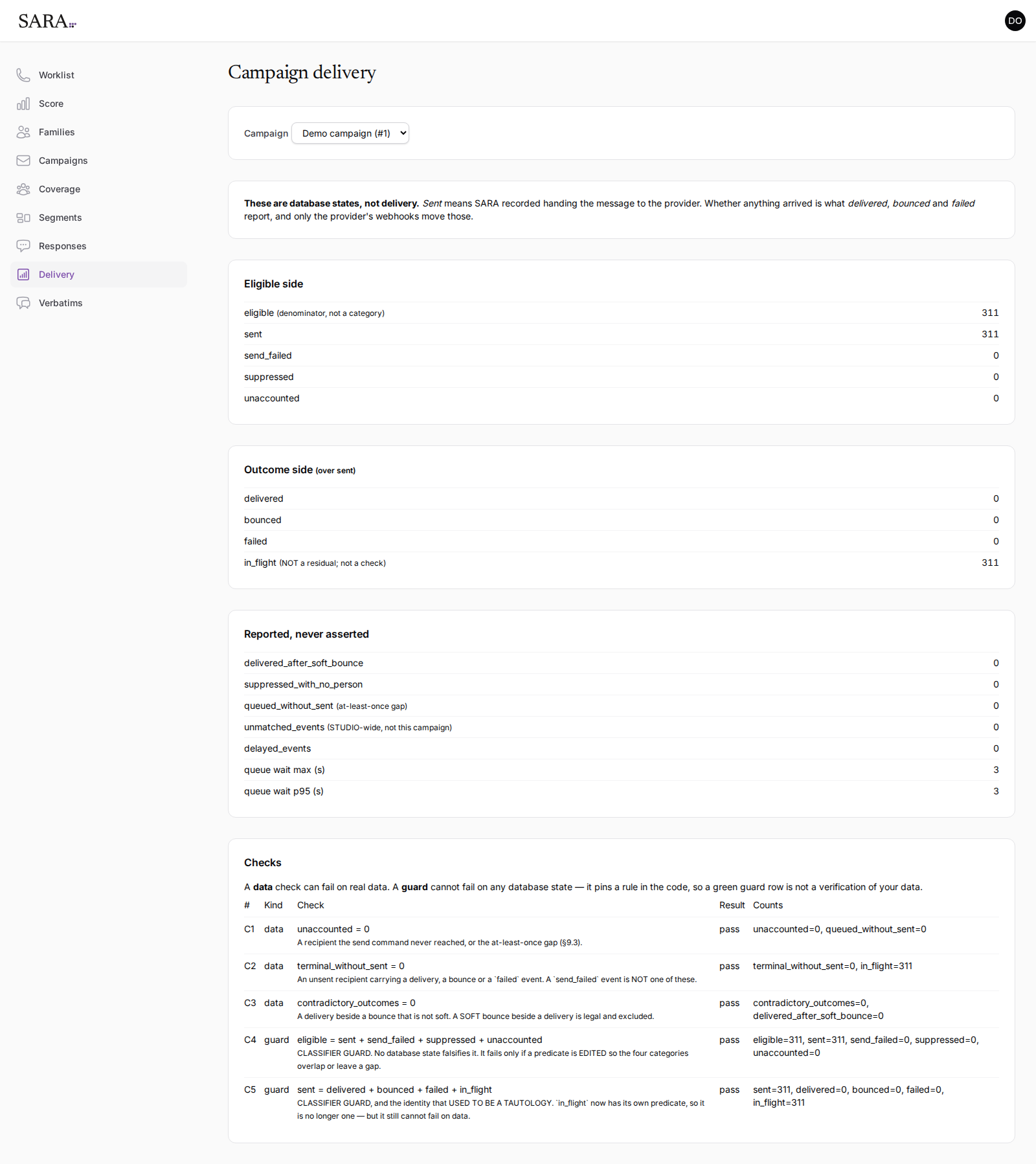
Sent is not the same as arrived. “Sent” means SARA handed the message to the mail provider. Whether it landed in an inbox is what delivered, bounced and failed report, and those only move once the provider tells us.
You should not need this page often. It exists so that when a campaign looks quiet, you can tell the difference between nobody answered and nobody was asked — which otherwise look identical from every other page.
This page is the most technical surface in the console, and it currently reads that way. The counts are correct; the wording is being made plainer.
Families
Looking one family up
Your whole roll, searchable, with the reference number your studio software uses so you can match a record across both systems.
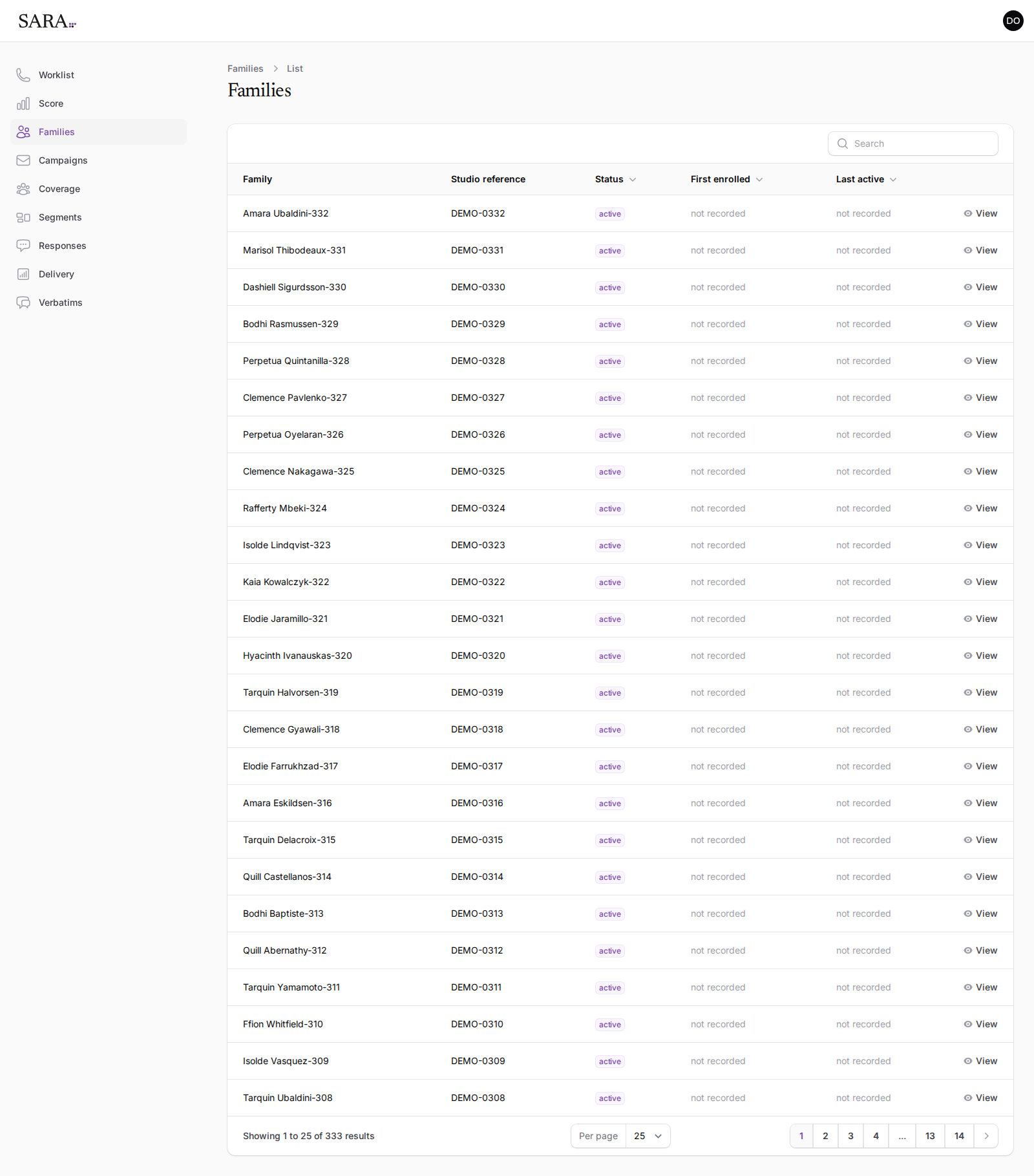
This list is read-only. Families, contact details and enrollments are owned by your studio software and flow into SARA from there — so a correction is made once, where you already make it, rather than twice.
The other side
What a parent sees
Worth looking at, because it is what your studio's name is attached to. Most parents will open it on a phone, so that is how it is built.
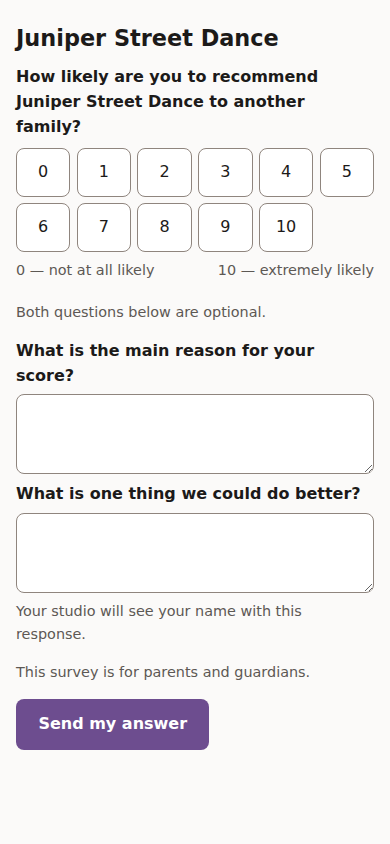
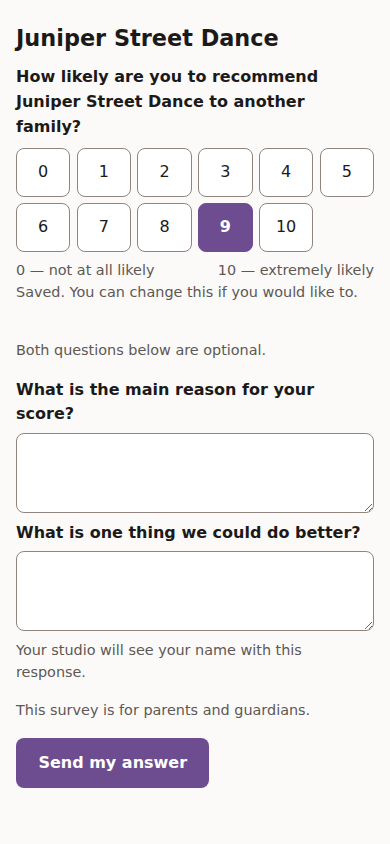
- The page carries your studio's name, and the email comes from your studio's address.
- Tapping a number in the email records that number. Nothing further is required.
- Both written questions say plainly that they are optional.
- Parents are told their studio will see their name with the response. SARA does not offer anonymity it cannot keep.
Straight answers
What isn't here yet
Places where you might reasonably expect a number and will not find one, with the reason.
There is no attrition or drop-out rate
Your enrollment records give every active place an end date at the end of the season, so a family who has left and a family who is still with you look identical until the season turns over. Any “who left?” figure computed today would classify your entire active roll as gone. The first time it can be answered truthfully is when the next season opens and it is visible who came back.
An industry average could be shown instead. It will not be — that would be a number about other studios wearing your studio's name.
There is no grouping by program
A family enrolled in ballet and in tap belongs to both, so the rows would not add up to your total and the comparison would mislead. It needs its own design rather than a quick answer.
Nothing here is written by a model
No summarizing, no sentiment scoring, no predicted churn. The words on the verbatims page are the words the parent typed, and the themes are the ones you named. If a number appears in SARA, you can trace it to the answers it came from.